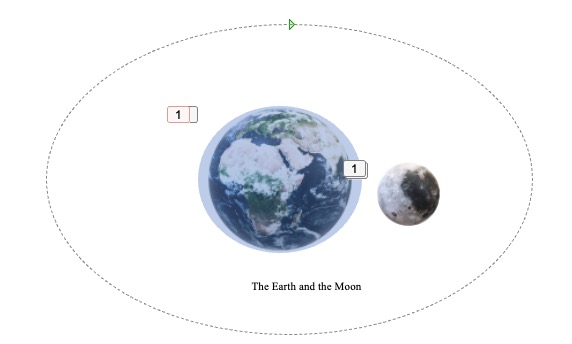
To create this animation, I began by designing each scene in PowerPoint. For the Earth and Moon visuals, I used PowerPoint’s built-in 3D models. I selected the 3D objects for Earth and Moon from PowerPoint's 3D Model library, inserted them into the slides, and positioned them to represent the orbital layout. Using PowerPoint’s animation settings, I applied a rotation animation to the Moon, making it orbit around the Earth to simulate realistic movement.
To illustrate the tidal effect, I used a semi-transparent blue ellipse placed around the Earth. This ellipse represents the areas affected by tides. For the animation, I applied a “Grow/Shrink” effect to simulate the ebb and flow of the tides. I set the growth percentage to slightly expand and contract, creating a pulsing effect that mimics tidal movements.